- BACK
- HOME
- PETITION
Related Articles
Mini-map
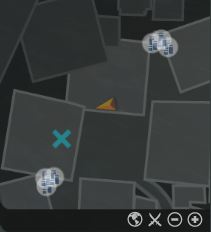
The mini-map on the top right of the screen displays any nearby mission objectives, NPCs and Anima wells. The arrow indicates your current location and the direction you are facing. With your mouse cursor over the minimap, use the scroll wheel to zoom in and out. Click and drag on the map to change the viewable area.
The ability to hide the mini-map appears in the Interface Options, under the HUD tab.
The ability to hide the mini-map appears in the Interface Options, under the HUD tab.